
Online Troubleshooting Guide
Where do I find the link for this session?
Go to your email and search for”
TBRI Online- “You're registered for TBRI Caregiver Training!”
Read Along Book Study- “You are registered for the Read-Along Book Study!”
Lunch Hour Support- “You are registered for Lunch Hour Support Group!”
Check spam as well. Make sure you check other email accounts you have- maybe you registered using an alternate email?
Once you find that email, click on the button that says “Click here to access the training”
If you can’t find that email, please email katie@thepearlproject.org
Is there a different zoom link every week?
Yes, we use the “Click here to access the training button” because our event management system takes attendance when you click on that access button. So, please use that button each week to access the training.
Once I click that access button what do I do?
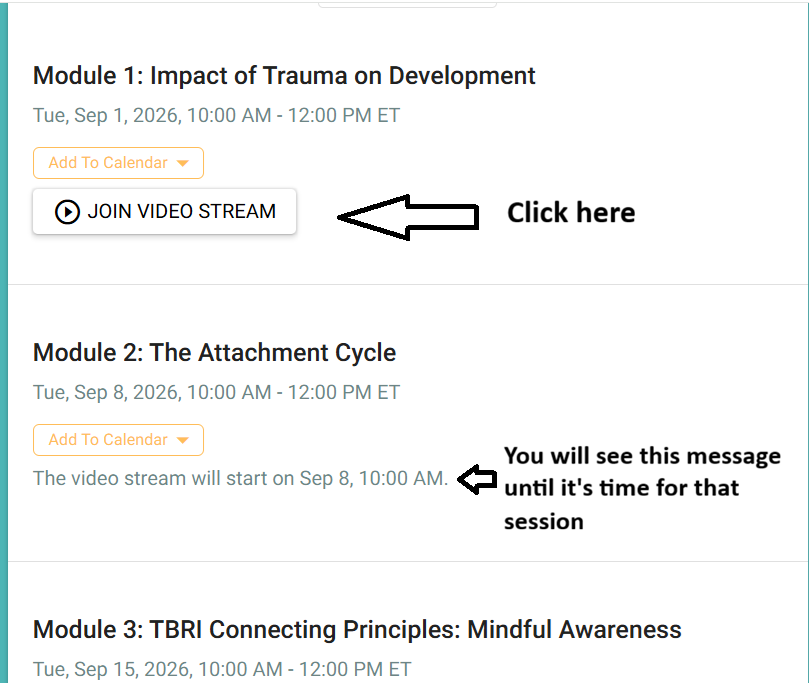
Scroll down the page and find the date/module for the week, and click Join video stream.
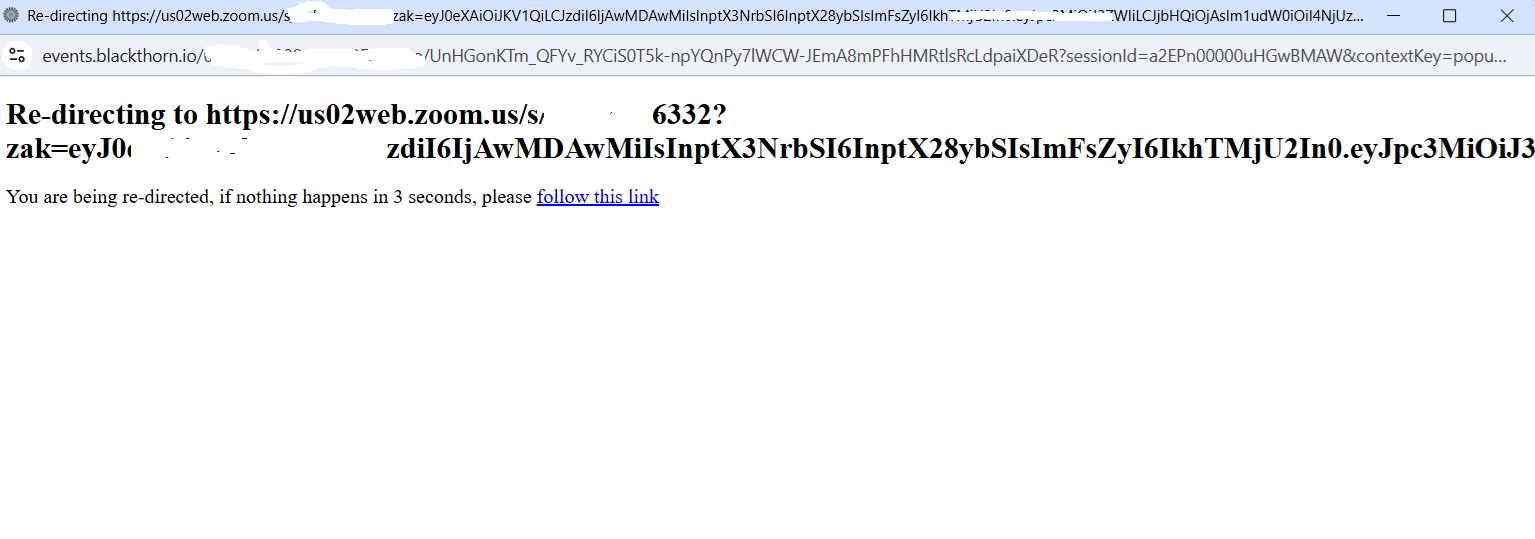
This will lead to a redirect window that will connect with zoom automatically. It looks like this:
If it’s not time for the session, you will see the message “The video stream will start on…..”
I having trouble with my mic/video:
Please click here for our Camera and Mic Troubleshooting Guide
I still am having trouble.
If the above information didn’t fix the issue, please reach out to us. We may not be able to get you into the session tonight but email katie@thepearlproject.org and she will help you troubleshoot before next week and make sure you are able to make up the session you missed.